Know where your family is, and that they’re okay
Live location, alerts, and SOS for your trusted circle.
30-day free trial, no credit card required.
 Illustrative images generated with AI.
For every tribe
Built for your reality
There's no single way to look after the people you love. Oqui adapts to yours.

Young children
Know when they got to school or made it home, without having to ask. Geofences and live location, without depending on a phone call.

Aging parents or grandparents
Run an “are you okay?” check whenever you want and, after a strong earthquake nearby, see their shared location (or their last known one).

Groups traveling together
On a trip, a hike, or a night out: create a Tribe for the occasion and everyone sees each other on the same map for as long as it lasts.
Everything you need
Full features, not a stripped-down version
Main features of Oqui
Live location
See where your Tribe is on the map, with frequent updates and the time of the latest one, while keeping an eye on the phone's battery.
Places and geofences
Mark home, school, or work and get notified when someone arrives or leaves.
SOS
SOS to your Tribe, with your location, on every plan.
Earthquake notice
When an official agency reports a strong earthquake near someone in your Tribe, Oqui notifies the Tribe, opens a safety check, and shares their location automatically (the last known one if there’s no signal). The report can arrive a few minutes late.
Is everyone okay?
Launch a manual check whenever you want and see who has already answered.
Trip-by-trip history
Review where everyone has been, organized into easy-to-read trips.
Home screen widget
A summary of your Tribe's status, without opening the app, right from your home screen. It shows no names or locations.
Your language
Available in Spanish, English, French, German, Italian, Portuguese, and more languages.
Protected sign-in
Two-factor verification and biometrics, whichever you prefer.
Oqui's edge
Earthquakes: your Tribe is notified automatically, with your location
Oqui receives public earthquake reports from official agencies (IGP, USGS, and EMSC), a few minutes after they happen. When a strong one is near someone in your Tribe, Oqui notifies the Tribe, opens an “Is everyone okay?” safety check, and shares that person’s location automatically, without them having to confirm anything first. If their phone has no signal, the system shares their last known location. Each person can turn off automatic sharing in Settings, unless their Tribe requires it. Oqui does not predict earthquakes and is not an early-warning system.
There’s more: SOS notifies your whole Tribe with your location in one tap.
Trust and compliance
Your data, with clear rules
Oqui handles location data, and that has to be taken seriously.
We don’t sell your data.
Law 29733
We operate under Peru's Personal Data Protection Law, with a direct channel to exercise your rights.
Under 14 years old
Their enrollment requires the express consent of a responsible adult, purpose by purpose.
Defined retention
Your location history is kept for about 30 days (60 on Premium) and then deleted. Backups are deleted as they rotate.
Getting started is simple
How it works
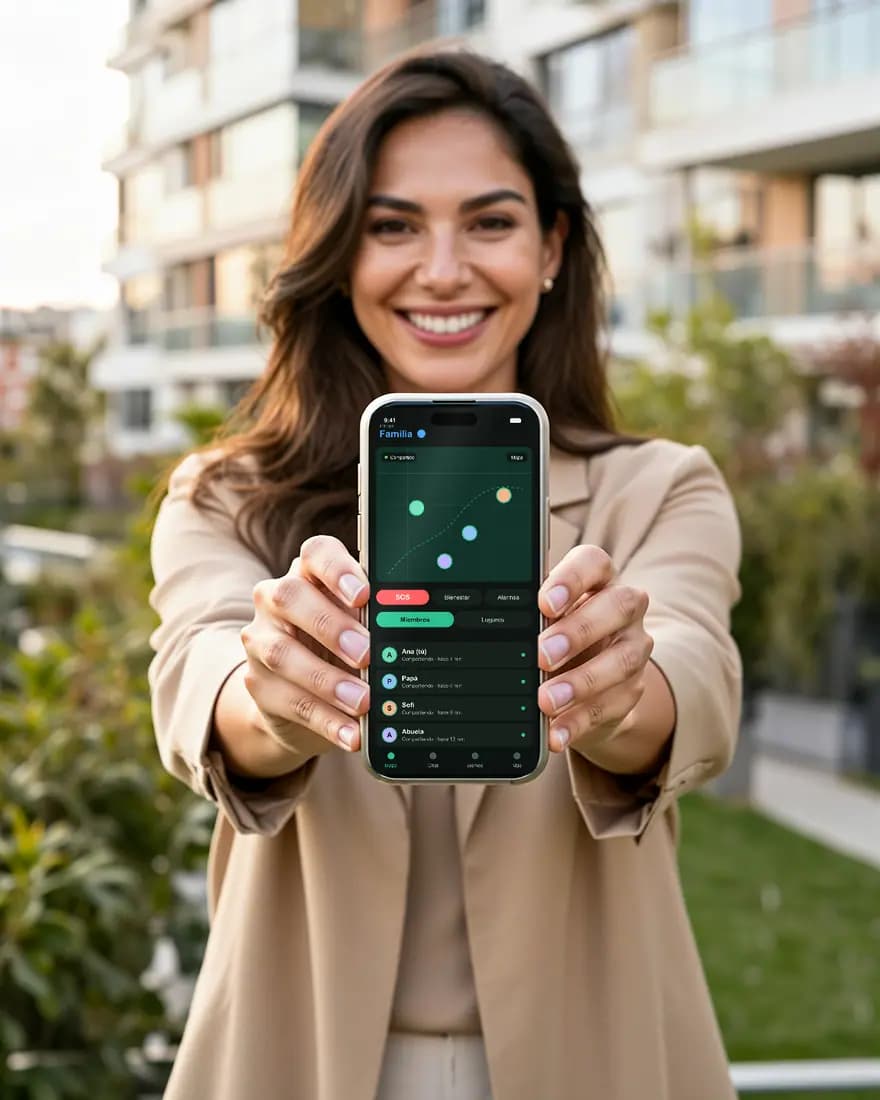 Illustrative images generated with AI.
Download the app
Available on Google Play and the App Store.
Create or join a Tribe
Invite the people you want to look after, or join with the code you were sent.
You're set
Live location, SOS, and earthquake check-ins, from the very first minute.
Transparency
What Oqui does, and what it doesn’t
Oqui does not predict earthquakes or other natural disasters, and it is not an early-warning system.
What it does do: your family shares their location and stays in touch. When an official agency (for example IGP or USGS) reports a strong earthquake near someone in your Tribe, a public report that can arrive a few minutes late, Oqui notifies the Tribe, opens an “Is everyone okay?” check, and shares that person’s location automatically; if their phone has no signal, the system shares their last known location.
Depending on your plan, Oqui also lets you save your trusted places with arrival and departure alerts, review your location history, and send an SOS to your Tribe.
Oqui is not an emergency service: it does not contact police, fire or ambulance services, and it can’t guarantee that an alert is delivered, or delivered in time. In an emergency, call your local emergency number.
What Oqui needs to work
For Oqui to share your location, your phone needs:
Oqui installed and up to date, with you signed in.
Location permission set to “Always” (or “All the time”) and precise location, with GPS turned on.
An internet connection: mobile data or Wi-Fi. Without one, the app may send saved positions later, but not all of them.
Battery and power-saving settings that don’t restrict Oqui: iPhone Low Power Mode and Android battery saver can limit reports.
The app open or allowed to run in the background: if you close it completely, the operating system may stop it from reporting, especially on iPhone.
Oqui can’t guarantee that every location arrives on time: it depends on your phone, the network and the operating system.
Plans and pricing
A plan for every Tribe
Try it for 30 days. Cancel whenever you like; the period already paid is not refunded, except as required by law. Cancellations
Familiar
or US$60.00 per year
For your close family: one Tribe with live location, SOS, earthquake notice and safety rules.
- Live location, SOS, earthquake notice and the “Is everyone okay?” check
- Up to 5 members, not counting whoever creates the Tribe
- Up to 10 Places with arrival and departure alerts
- 30-day history
- Tribe safety rules
Premium
or US$100.00 per year
For larger families or several Tribes: more members, more Places and the longest history.
- Live location, SOS, earthquake notice and the “Is everyone okay?” check
- Up to 10 members, not counting whoever creates the Tribe
- Up to 50 Places with arrival and departure alerts
- 3 Tribes included in the plan
- 60-day history
- Tribe safety rules
Paid plans: you subscribe through the App Store or Google Play, and they renew automatically until you cancel in the store (Apple: Settings > your name > Subscriptions; Google: Play Store > Payments & subscriptions). The final price, with taxes and in your currency, is shown by the store at checkout. Refunds are handled by the store.
Compare the plans
What each plan includes, feature by feature.
| Feature | Familiar | Premium |
|---|---|---|
| Members per Tribe (besides whoever creates it) | 5 | 10 |
| Places with arrival and departure alerts | 10 | 50 |
| Tribes included in the plan | 1 | 3 |
| Location history | 30 days | 60 days |
| Live location | Included | Included |
| SOS to the whole Tribe | Included | Included |
| Earthquake notice to the Tribe | Included | Included |
| “Is everyone okay?” check | Included | Included |
| Tribe safety rules | Included | Included |
| Home screen widget | Included | Included |
Your first Tribe starts with a 30-day free trial, no credit card required (once per person). After that, you pick a plan to keep going.
Get it today
Scan the code or search for it in your store
Available now on Google Play and the App Store (iPhone).



Know where your family is, and that they’re okay
Create your Tribe today. The first 30 days are free, no credit card required.
Download Oqui